Create a New Config Page in Drupal (Easy Guide)
Time to read
4 min
Step 1: Go to Config Pages
In the Drupal menu, go to:
Structure → Config Pages

Step 2: Add a New Config Page
Click “Add config page”.
Now you see a form to create a new page.

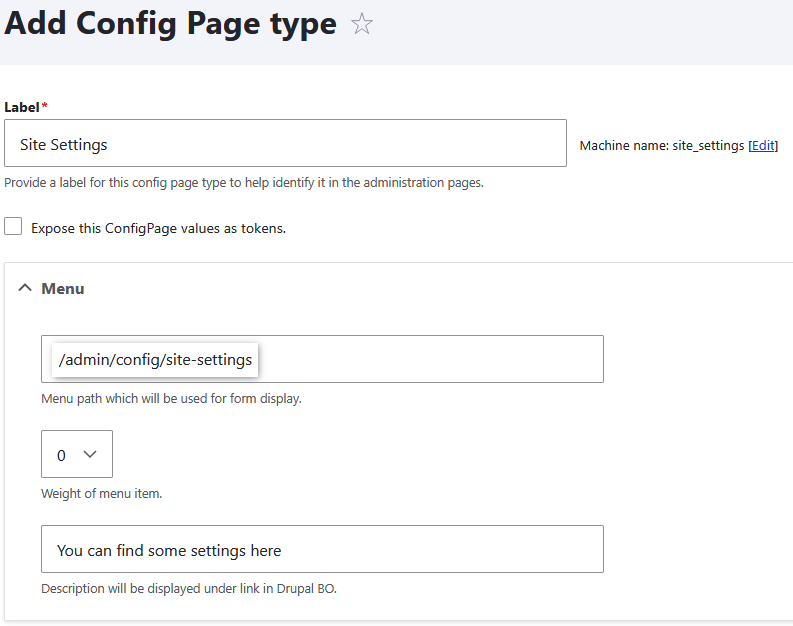
Step 3: Fill the Basic Info
Label: the name you see in admin (example: “Site Settings”).
Machine name: auto text for system use.
Description: write what this page is for.
Menu path: write a path if you want this page in the admin menu.
Example:/admin/config/site-settings
Step 4: Add Fields
Click “Add field”.
Choose the type of field you need:
Text (for name, phone, email)
Image (for logo)

Step 5: Now your config page is ready
You can go to this page any time to change the values.
Finish
Now you know how to create a new config page in Drupal.
It is simple and fast.
Next time, you can edit this page and all changes show in your site.
Try it now on your site!