Build a REST API in Drupal with Views: No Coding Required
Time to read
7 min
Why Use Views for REST APIs?
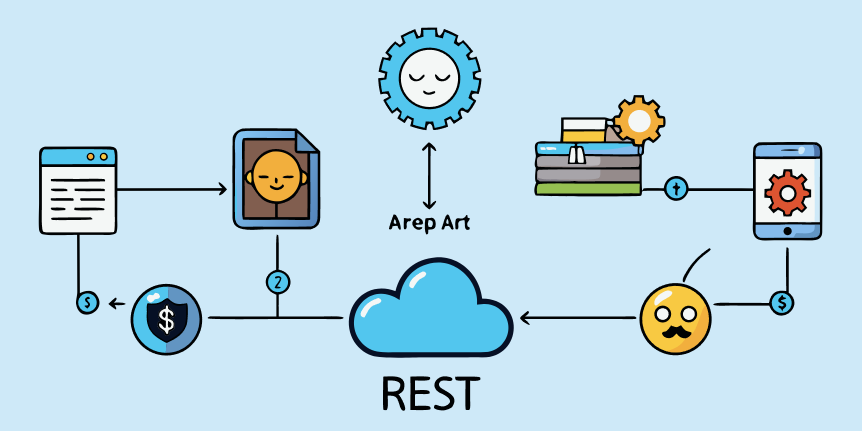
Drupal’s Views module can generate REST endpoints visually, saving hours of development time. Ideal for:
- Headless Drupal setups
- Mobile apps
- Third-party integrations
[IMAGE PLACEHOLDER 1: "Diagram: Drupal Views → JSON API → Mobile App"]
Step 1: Enable Required Modules
drush pm:install views views_ui rest basic_auth
Note: Drupal 10 includes REST module by default.
Step 2: Create a REST View
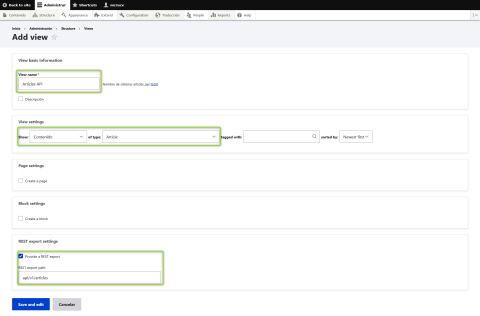
- Go to Structure → Views → Add new view.
- Configure:
- View name:
Articles API - Show: Content of type
Article - REST export: Check this option
Path:
/api/articles
- View name:
Image
Step 3: Customize the Output
- Fields: Add title, body, image (ensure fields are exposed in REST)
- Format:
Serializer(JSON/XML) - Authentication: Enable
Basic Authfor security
# Example JSON output:
{
  "title": "Hello World",
  "body": "Lorem ipsum...",
  "image": "https://example.com/sample.jpg"
}
[IMAGE PLACEHOLDER 3: "Postman screenshot testing the API endpoint"]
Step 4: Set Permissions
Go to People → Permissions:
- Enable
Access GET on Content Resourcefor anonymous/authenticated users.
Advanced Tips
- Pagination: Add
pageparameter to the URL (/api/articles?page=2). - Filters: Expose filters like
?type=article. - Caching: Use
HTTP Cacheheaders for performance.
[IMAGE PLACEHOLDER 4: "Performance waterfall chart with/without caching"]